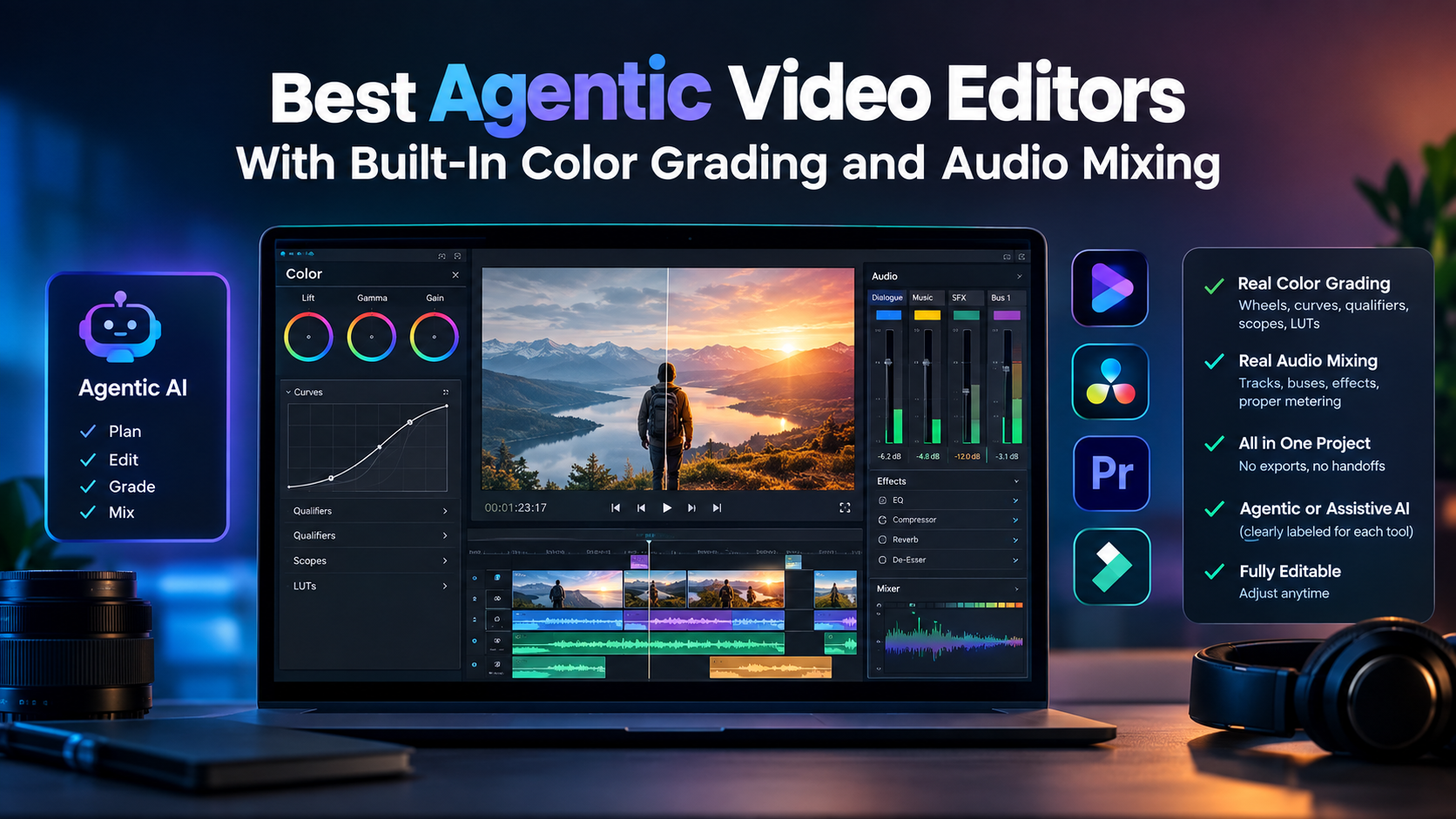
Best Agentic Video Editors With Built-In Color Grading and Audio Mixing
Color grading and audio mixing are often the two things that force a project out of the editor it was cut in, exported to a dedicated color suite, exported again to a separate audio application, then reassembled. A tool that genuinely handles both inside the same project removes two full handoffs from a workflow, not just one.
Worth being upfront about something before the list: genuinely agentic AI, where an agent executes a multi-step goal rather than assisting one feature at a time, combined with real, deep built-in color and audio tools, is a narrow combination. A few tools below are fully agentic; others earn their spot here specifically for how deep their built-in color and audio tools go, even where their AI stays assistive rather than agentic. Each entry is clear about which is which.
What actually matters for this combination
- Real grading depth, not just a filter or preset, wheels, curves, qualifiers, a scope to check the result against.
- Real audio mixing, not just a volume slider, separate tracks, buses, per-track effects, proper metering.
- Both built into the same project, not requiring an export to a separate color or audio application.
- Whether the AI is agentic or assistive, since that changes how much of the grading and mixing work can actually be directed rather than done by hand.
- A result that stays editable, since a grade or mix should be adjustable afterward, not locked once applied.
The best video editors with built-in color and audio at a glance
| Tool | AI Approach | Built-In Color | Built-In Audio |
|---|---|---|---|
| invideo Editor | Agentic | Full grading suite | Full audio workstation |
| DaVinci Resolve | Assistive | Industry-standard, nodal | Fairlight, professional-grade |
| Adobe Premiere Pro | Assistive | Lumetri Color | Essential Sound panel |
| Filmora | Assistive | Basic-to-intermediate | Basic-to-intermediate |
Invideo Editor
Invideo Editor uses agentic video editing to apply both color grading and audio mixing as directed, multi-step work rather than a single applied filter: describe a look, warmer, moodier, matched to a reference, and an agent applies it using the same wheels, curves, qualifiers, and LUTs a person could operate manually. The same applies to audio, direct an agent to clean up dialogue, duck music, and balance effects across separate tracks routed through buses.
The timeline itself is a real, professional manual editor on its own, free to use whether or not an agent grades or mixes a single track, so the full manual toolset stays available for fine-tuning afterward.
- Strengths: genuinely agentic for both color and audio, not just assistive features; both tools live in the same project the edit is built in
- Limitations: getting the most out of a directed grade or mix benefits from a specific description of the intended result
- Pricing: the manual timeline is free to use on its own; full agent-driven work requires a paid plan, Basic $9/Pro $25/Ultra $60 per seat/month
DaVinci Resolve
Resolve’s Color page remains the global industry standard for grading, nodal workflows, professional HDR tools, advanced tracking, film emulation, and Fairlight is a full, professional audio environment comparable to a dedicated tool like Pro Tools, both built into the same software.
- Strengths: unmatched grading precision and a genuinely professional audio suite, both native to the same application
- Limitations: AI features (Magic Mask, Voice Isolation, IntelliSearch) are assistive, accelerating specific steps rather than executing a directed, multi-step grade or mix
Pricing: Free version available; Studio version ~$295 one-time purchase.
Adobe Premiere Pro
Premiere’s Lumetri Color panel handles grading directly in the timeline, and the Essential Sound panel offers real built-in mixing, tagging dialogue, music, and effects for automatic level suggestions, ducking, and basic cleanup without leaving the project.
- Strengths: solid built-in color and audio tools for an editor who doesn’t need Resolve’s full nodal depth or a dedicated DAW
- Limitations: Essential Sound is lighter than a full audio workstation; AI features like Enhance Speech are assistive, not agentic
Pricing: Free trial; ~$22.99/month subscription.
Filmora
Filmora packs basic-to-intermediate color grading and audio mixing into an approachable desktop editor, enough for a hobbyist or small business to apply a consistent look and a clean mix without a steep learning curve.
- Strengths: genuinely usable color and audio tools at a budget price point, without needing a professional-grade toolset
- Limitations: neither the grading nor the audio depth matches a professional suite like Resolve; AI features stay assistive
Pricing: Free trial; from ~$49.99/year.
Which tool should you use?
- Want genuinely agentic color grading and audio mixing, directed rather than manual? invideo Editor.
- Need the deepest possible grading and a full professional audio suite? DaVinci Resolve.
- Already working in Premiere and want solid built-in color and audio without switching apps? Adobe Premiere Pro.
- Want basic color and audio tools at a budget price? Filmora.
The bottom line
Real built-in color grading and audio mixing, deep enough to skip an export to a separate application, is genuinely rare, and combining that with agentic AI that can be directed to do the actual grading and mixing work is rarer still. DaVinci Resolve and Premiere both offer serious built-in tools with assistive AI layered on top; invideo Editor is the one on this list where the color and audio work itself can be directed to an agent, not just accelerated feature by feature.
If the goal is directing a grade or a mix rather than manually operating every control, invideo Editor is built specifically around that combination.
Frequently Asked Questions
What’s the difference between agentic and assistive AI for color grading and audio?
Agentic AI executes a directed, multi-step result, describe a look or a mix outcome, and an agent applies it across the project. Assistive AI speeds up individual steps, an automatic color match, a noise reduction pass, while a person still makes each specific adjustment.
Does DaVinci Resolve’s AI count as agentic?
Not in the full sense. Its AI features, Magic Mask, Voice Isolation, IntelliSearch, are genuinely useful but assistive, accelerating specific tasks rather than executing a broader, directed grade or mix.
Which tool has the deepest built-in audio mixing?
DaVinci Resolve’s Fairlight is the most professional-grade built-in audio environment on this list, comparable to a dedicated DAW. The built-in audio workstation on Invideo Editor covers what most editors need, with the added ability to direct that mixing to an agent.
Is a directed color grade or mix as precise as doing it manually?
It depends on the specificity of the direction. A clear description or reference produces a strong result; a vague instruction leaves more to interpretation. The manual tools remain available to fine-tune the result either way.
Last Updated on September 19, 2026 7:20 pm by Laszlo Szabo / NowadAIs | Published on September 19, 2026 by Laszlo Szabo / NowadAIs