A few years ago, an AI video meant six wobbly seconds of a dog with too many legs. Today, you can type one sentence and get a cinematic clip with sound, dialogue and a camera move worth bragging about.
The catch is choice. There are dozens of AI video generators in 2027, and a new model seems to drop every other week.
This guide cuts through the noise and shows the best AI video generators for every job. We compare 14 tools by what you actually want to do: cinematic shots, social clips, marketing videos, training videos or avatar presenters. From Google’s Veo 3.1 to Kling, every pick comes with a clear “best for” label.
We also cover the best free AI video generator options. Not everyone wants a subscription on day one.
A quick note on method. We have not hands-on tested every tool for this guide. We compare them using public specs, pricing pages and independent leaderboards, as of October, 2026.
We will update the article as the market moves. Short on time? Jump to the quick picks below.
Best AI Video Generator Tools in 2027: Quick Picks
No time to read 10,000 words? Fair enough. Here is the best AI video generator for each job.
Best Overall: Google Veo 3.1
Veo 3.1 is the safest pick for most people. It creates realistic, cinematic clips with sound generated alongside the picture. Several independent roundups name it the best overall AI video generator, and other comparisons agree.
Best for Cinematic Shots: Seedance
ByteDance’s Seedance gets praise for the most cinematic output. One review also notes that it can be hard to access. If you cannot get in, Veo 3.1 is the fallback.
Best Value: Kling
Kling is the budget-friendly all-rounder. One comparison names Kling 3.0 the best quality per dollar. It is a strong choice for high-volume work.
Best Free AI Video Generator: Dreamina
Dreamina is often recommended for ongoing free use because its credits renew. Free daily credits do not mean unlimited videos or watermark-free exports. We break down every free plan later in this guide.
Best for Avatars and Training: HeyGen and Synthesia
HeyGen is the go-to for talking avatars and translated presenter videos. Synthesia leans toward enterprise training video. Both skip the camera entirely.
Best for Marketing Videos: InVideo AI
InVideo AI turns a prompt into a ready-to-post video. Reviewers describe it as a prompt-to-social-video tool. It suits marketers who need volume, not film-school shots.
Best for Creative Control: Runway Gen-4.5
Runway is the tool for people who want to direct. It stands out for motion brushes, camera moves and VFX-style editing. Expect a steeper learning curve and more tweaking.
What Is an AI Video Generator? How AI Video Generation Works
An AI video generator turns a prompt, an image or existing footage into a new video. You describe a scene, and the model produces the frames, the motion and often the sound. No camera or crew needed, so it is the fastest way to turn an idea into video content.
Under the hood, AI video generation relies on large models trained on huge amounts of video. They learn how objects move, how light behaves and how scenes fit together. The result is not a recording but a prediction of what your prompt should look like.
Text-to-Video, Image-to-Video and Other Ways to Generate Video
Most tools let you generate video in a few ways. Text-to-video starts with a written prompt only. Image-to-video animates a still, such as a photo or a frame from an AI image generator.
Video-to-video transforms existing footage, for example by changing its style. Some tools add first and last frame controls, so you set where the clip starts and ends. Pick the method that matches how much control you need.
Video Model vs. AI Avatar vs. AI Video Editor
Not every AI video tool does the same job. A video model like Veo or Kling invents scenes from scratch. Think cinematic B-roll, product shots and short stories.
An AI avatar tool puts a digital presenter on screen and makes them speak your script. That is the right choice for training and explainers. An AI video editor helps you cut, caption and polish footage you already have.
Mixing these up is the most common reason people pick the wrong tool. Know your job first, then choose the right AI model.

What Happened to Sora?
If you still search for Sora, you will not find it. OpenAI announced in March 2026 that it was shutting down the Sora app and API. The app went dark on April 26, 2026.
The lesson is useful. AI video is expensive to run, and tools can vanish. Avoid building your whole workflow on one platform.
How to Test AI Video Generators Before You Commit
Every AI video generator looks amazing in its own demo reel. Real life is messier. A few minutes of testing saves you from paying for the wrong plan, especially if you plan to generate AI video every day.
The Criteria We Use to Compare Tools
We judge each tool on the same checklist:
- Visual quality: sharpness, realism and consistency across frames
- Motion and physics: hair, water, hands and crowds are the usual trouble spots
- Prompt accuracy: does it actually do what you asked?
- Audio: native sound, dialogue and lip sync
- Length and resolution: clip duration and maximum output quality
- Control: camera moves, reference images and editing options
- Price and free tier: what you get before paying
- Watermarks and rights: what you can use commercially
No tool wins every row. That is why the “best” depends on your job.
A 5-Prompt Test You Can Run Yourself
Want to test AI video tools on your own? Use the same five prompts everywhere, so the results are comparable.
- A simple product shot: a bottle rotating on a clean surface
- A person speaking to camera: checks faces, lip sync and voice
- Hard motion: waves, hair in wind or a busy street
- A camera move: a slow dolly-in or an aerial pull-back
- Image-to-video: animate one of your own photos
Score each result from 1 to 5. Compare the totals, then compare the price. Cheap and good beats perfect and unaffordable.
Veo 3.1: The Best AI Video Generator for Polished Video
Best for: cinematic clips with sound | Made by: Google | Clip length: 8 seconds | Top resolution: 4K
Veo 3.1 is the model every other tool gets measured against. It is Google’s flagship AI video model, and it tops most roundups. If you want polished video that looks like it came off a real set, start here.
Veo 3.1 launched in October 2025 and makes 8-second clips in 720p, 1080p or 4K with natively generated audio, so it delivers high quality video with sound from a single prompt. That audio is a big deal. Veo 3 introduced it, and 3.1 refines it. Dialogue, footsteps and room tone arrive with the picture, so you skip a whole sound-design step.
What Veo 3.1 Does Best

Prompt accuracy is the headline. One review calls it the best raw model for cinematic, realistic scenes, thanks to prompt accuracy, 4K output and sound generated with the picture. You describe a scene, and Veo tends to deliver that scene, not a loose remix.
Camera language is another strength. Slow push-ins, shallow depth of field and moody lighting read as intentional. Faces and hands also hold together better than in older models.
Reach helps too. Veo 3.1 is available in the Gemini app, Flow, YouTube Shorts, Google Vids, the Gemini API and Vertex AI. That covers casual users, creators and developers alike.
Google lists Veo 3.1 in Standard, Fast and Lite versions. Use Fast to find the shot, then re-run the winner on the top version. It saves real money.
Veo 3.1 Pricing and Access
You can pay for Veo 3.1 in two ways: a consumer subscription or per-second API billing.
Google AI Pro costs $19.99 a month and includes 1,000 Flow credits. A Fast clip uses 20 credits, while a Quality clip uses 100. That works out to roughly $0.40 and $2 per 8-second clip.
Developers pay per second. The Gemini API charges $0.40 per second at 720p and 1080p, and $0.60 at 4K. Fast runs from $0.10 to $0.30 per second, and Lite starts at $0.05.
Google’s free API tier does not include Veo 3.1, so every API generation is billed. Google AI Ultra plans cost several times more than Pro and come with much bigger credit allowances. Prices change often, so confirm them before you subscribe.
Who Should Skip Veo 3.1
Veo is not the answer to everything. Skip it, or pair it with another tool, in these cases:
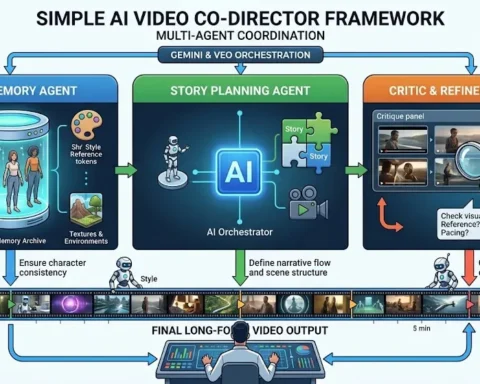
- You need long single shots. The base clip is 8 seconds, so longer scenes mean stitching clips together, a problem Google is tackling with its AI video co-director framework.
- You make lots of videos on a small budget. Kling is often named the best quality per dollar.
- You want frame-level control. Runway offers more hands-on editing, which we cover below.
One more note. Google had not confirmed a Veo 4 release date in the sources we checked. We will update this section if that changes.
Kling AI: The Best AI Video Model for Value and Realistic Motion
Best for: value, realistic people and action | Made by: Kuaishou | Clip length: up to 30 seconds (Kling 4.0) | Top resolution: 4K
Kling AI is the model that made people rethink what a mid-priced AI video tool can do. Built by Chinese tech company Kuaishou, Kling is the model reviewers most often recommend for realistic human movement and high-action shots. It is also easy to try and cheap to keep, so you can create a video without a big commitment.
Kling 3.0 launched globally in February 2026 with 15-second output, multi-shot control and multilingual native audio. Native 4K arrived for the 3.0 series in April 2026. Kling 4.0 then went fully live on October 15, 2026.
Kling 3.0 Strengths
Motion is where Kling shines. Walking, running, fabric and hair look natural more often than not. Action shots feel less floaty than in many rivals.
The multi-shot tools are a real draw. You can plan a short sequence instead of generating one clip at a time. The 3.0 family also supports references, storyboards and motion control.
Audio is built in. Kling can generate lip-synced, language-specific audio straight from your text prompt. That suits dialogue and talking-head social clips.
Crowd approval backs this up. Kling v3 leads one blind-vote text-to-video leaderboard. Leaderboards shift often, so treat that as a snapshot, not a verdict.
Kling Pricing and Free Credits

Kling runs on credits. A 5-second 1080p clip with audio costs 60 credits. Native 4K costs 30 credits per second, so 4K drains a cheap plan fast.
The Standard plan costs $6.99 for the first month, then $8.80 a month for 660 credits. That is roughly 11 clips at 1080p with audio. Higher plans add more credits, priority queues and professional modes.
Kling has a free plan, but its output is not cleared for commercial use. Reviews disagree on the details. One reports 66 free daily credits, while another says free credits arrive once a month.
Check Kling’s current rules before you count on any free allowance. Also budget for retries, because failed generations still use credits.
What Is New in Kling 4.0
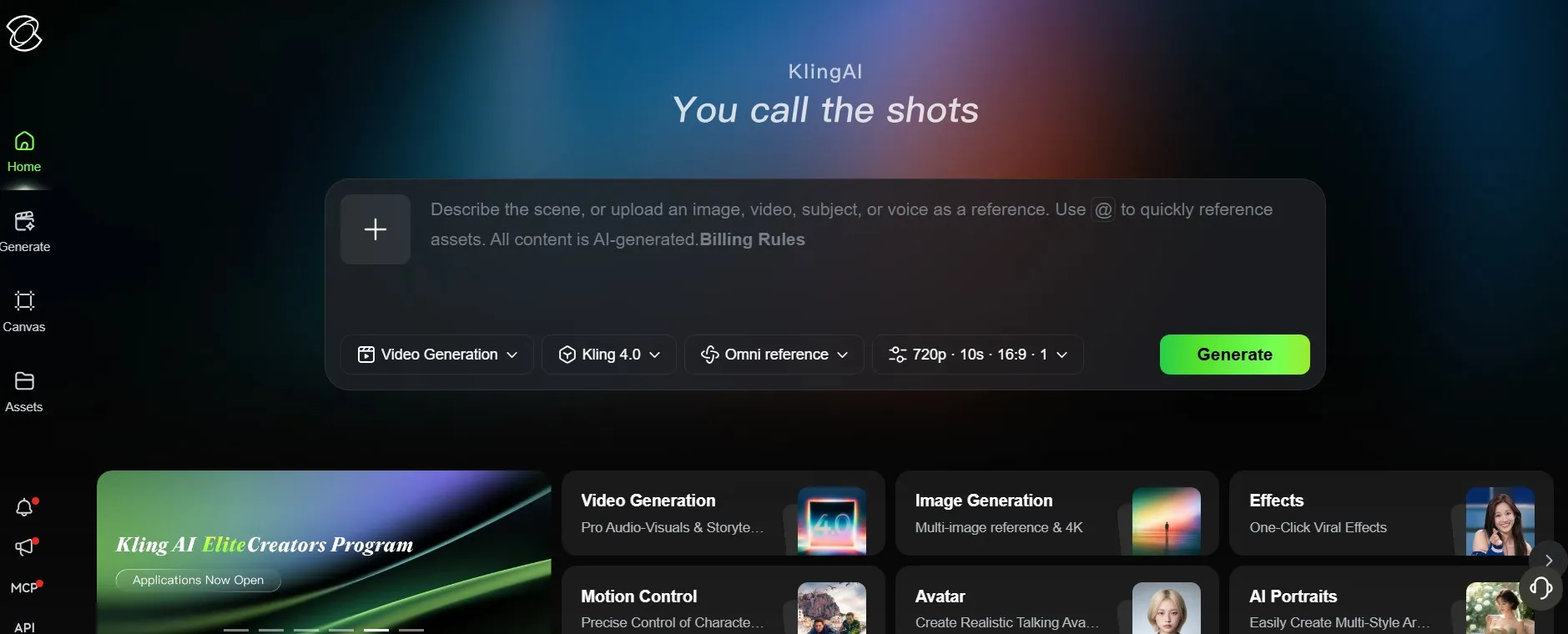
Kling 4.0 is here. Kling made it fully available on October 15, 2026. It adds clips of 3 to 30 seconds, up to 10 keyframes, up to 15 references, 4K output, stereo sound and better lip sync.
Pricing is the open question. Kling has not published an official price for 4.0, and API access is still marked coming soon. One report puts it at 15 credits per second at 1080p, so treat that figure as unconfirmed.
The 3.0 notes above still apply to the older model. We will refresh the numbers once Kling publishes official 4.0 pricing. For background on the earlier release, read our Kling O1 guide.
Runway Gen-4.5: The AI Video Editing Tool for Pro Control
Best for: creative control and editing | Made by: Runway | Clip length: 2 to 10 seconds | Starts at: $12/month billed annually
Other tools generate. Runway lets you direct. It is a powerful tool when you care less about one-shot magic and more about steering every move.
Gen-4.5 makes 2 to 10 seconds of video at 12 credits per second. According to Runway’s own release, it held the top spot on the Artificial Analysis text-to-video benchmark at launch. Treat that as a vendor claim, and see our report on the Gen-4.5 launch for context.
The controls are the real draw. Motion Brush lets you paint movement onto specific parts of an image. Aleph edits inside a finished video using text prompts, and Act-Two adds motion capture.
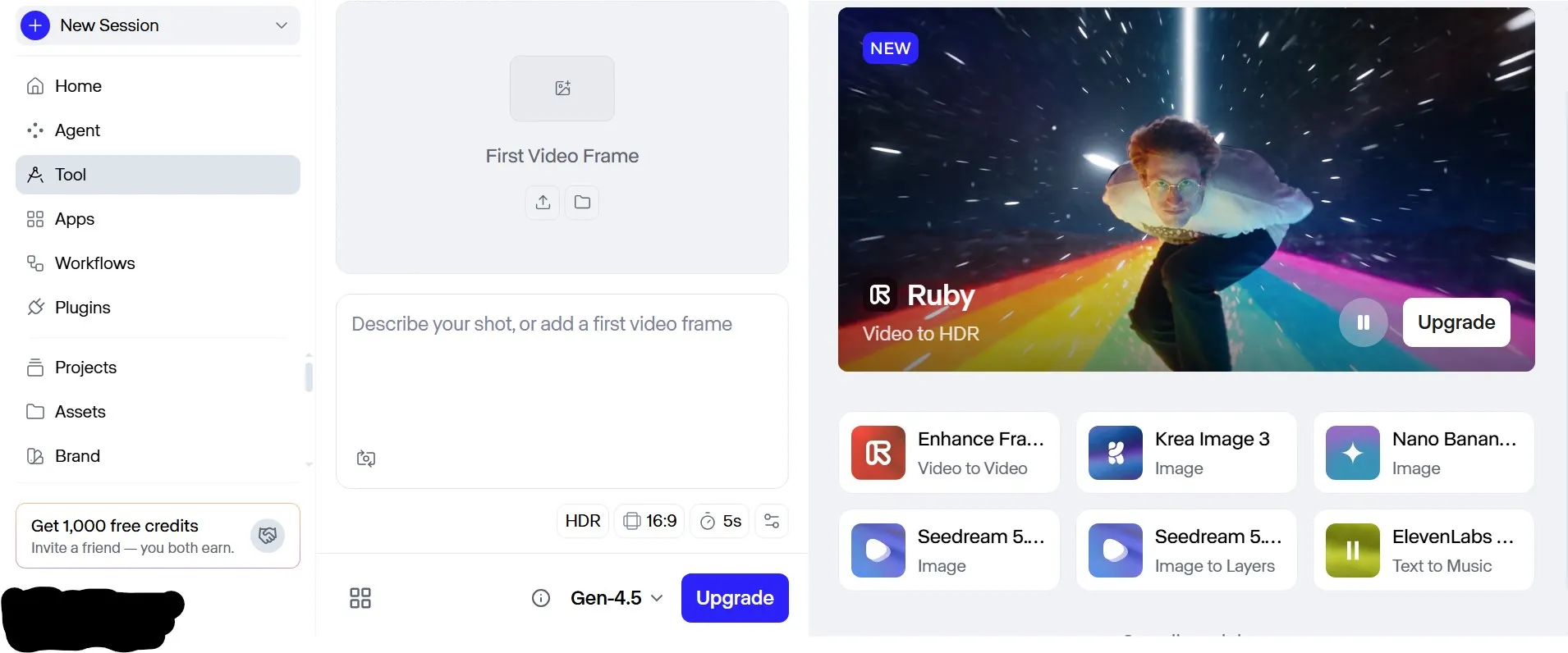
Aleph 2.0 arrived in May 2026 together with Edit Studio. That makes Runway an AI video editing tool as much as a generator. You can fix a shot instead of re-rolling it, which saves credits when your video clips are slow or costly to regenerate.

Runway also hosts other models, including Veo 3.1, and Seedance 2.0 is available through it too. One account can cover several models.
Pricing is credit-based. Paid plans start at $15 a month, or $12 billed annually, for 625 credits. That covers roughly 52 seconds of Gen-4.5 per month.
The free plan gives you a one-time 125 credits, and the output is watermarked. Monthly credits do not roll over on Standard or Pro. Paid plans include commercial usage rights.
The catch is the learning curve. Credits get expensive on heavy use, and mastering the tools takes practice. If you just want a quick clip, pick something simpler.
Advanced AI Video Generation Models: Seedance, Wan, Luma and Hailuo
The big names are not the whole story. A second wave of advanced AI video generation models matches them on quality, and sometimes beats them on price or control.
These four are worth a look. Each one wins in a different situation.
Seedance 2.5 (ByteDance): Multi-Shot Scenes With Rich References
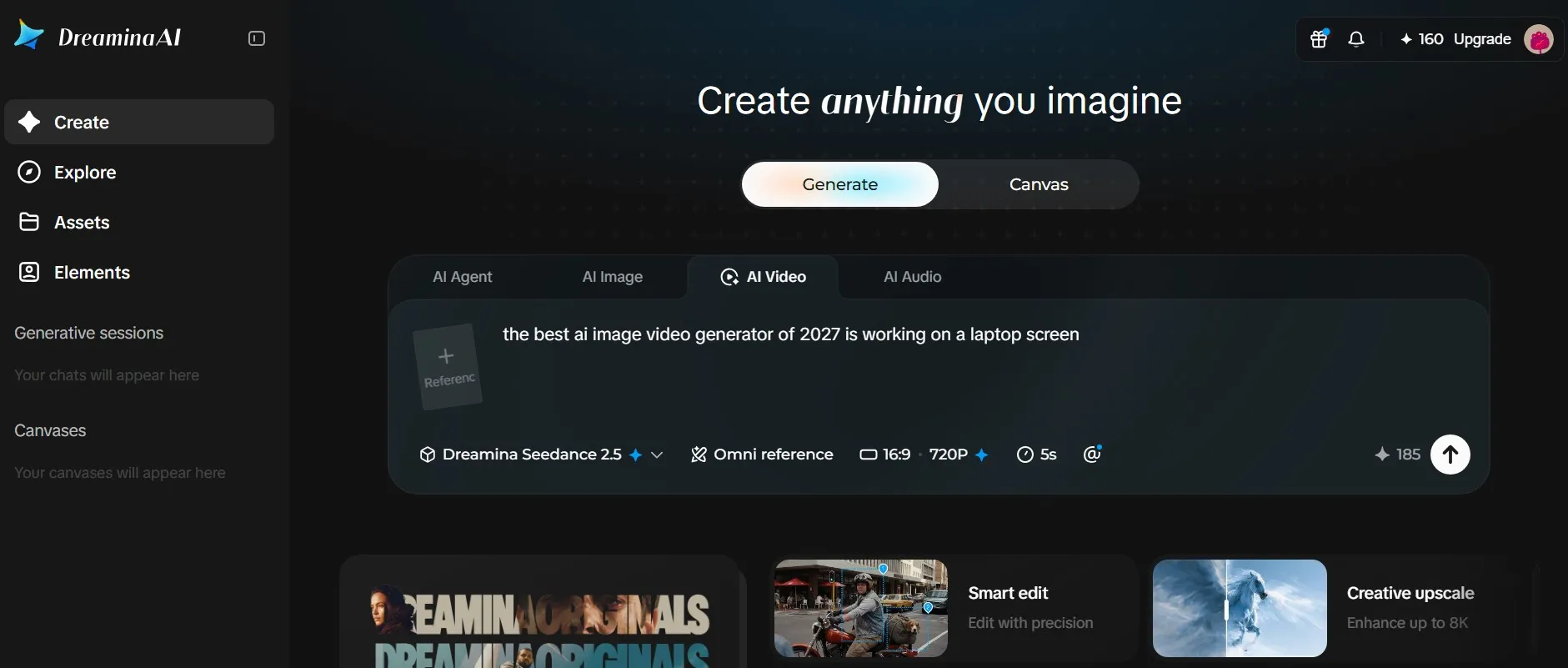
ByteDance introduced Seedance 2.0 on February 12, 2026. It generates dialogue, sound effects and background audio together with the video. That makes it one of the most complete cinematic tools.
Its edge is multimodal input, which goes far beyond plain text to video. It accepts up to 9 images, 3 videos and 3 audio clips in one generation. A later Seedance 2.5 update added 30-second generation and a larger reference set.
Veo tends to win on cinematic polish, while Seedance wins on motion stability and multi-subject scenes. Pick Seedance when your shot has several characters or lots of reference material.
Access used to be the problem. From February to April 2026, the full app required a Chinese phone number and payment method. It is now available through Dreamina, CapCut and Runway.
Dreamina’s international plans run from $18 to $84 per month. Face and IP restrictions apply, and regional availability can be patchy in Europe.
Wan 3.0 (Alibaba): Long Clips and an Open-Weight Heritage

Alibaba launched Wan 3.0 on August 6 as a public beta. It offers native 30-second generation and omni-modal references. That is twice the length many rivals offer, though Kling 4.0 now matches it.
Here is the catch. Alibaba’s own model page lists Wan 3.0 as not open source. Wan 2.1 and 2.2 shipped with downloadable weights, but every base release since has been API-only.
So the story splits in two. Use Wan 3.0 through the API for top quality. Wan 2.2 remains the newest open base if you want to self-host or fine-tune.
One October 2026 roundup puts Wan 3.0 first on its quality board. Leaderboards disagree, so treat it as one of the top AI contenders, not a crown. For the earlier release, see our coverage of Alibaba Wanxiang 2.6.
Luma Ray3.2 (Dream Machine): HDR and Keyframe Control

Luma is the tool for cinematic video makers who think in frames. Ray3.2 launched on June 9, 2026, bringing HDR back and adding up to 16 keyframes per clip. You set the key moments, and the model fills in the motion.
Luma advertises native 16-bit HDR in EXR format for professional color work. Colorists and filmmakers will care. Most social creators will not, and our older Dream Machine 1.5 coverage shows how far the tool has come.
Reviews of the Ray3 family say it does not generate native audio. Plan to add sound separately.
Luma starts at $30 a month, or $25 billed yearly, for 10,000 credits. 1080p costs four times as much as 720p, and HDR doubles or triples the price. Sources disagree on whether a free tier exists, so check Luma’s pricing page.
Hailuo 3.0 (MiniMax H3): Native 2K and Open Weights
MiniMax’s H3 is sold to consumers as Hailuo 3.0. It outputs native 2K at 24fps in 4 to 15 seconds, and an Extend tool pushes sequences to about 30 seconds. Stereo audio comes built in, and we covered an earlier MiniMax video model when it first appeared.
Price is the headline. MiniMax’s own pay-as-you-go rate is $0.08 per second at 768P and $0.13 per second at 2K. That is far below most rivals at 2K, which makes high-quality video cheap to try.
Benchmark summaries place H3 near the top for editing, text-to-video and image-to-video. It also suits image-to-video work, where you start from your own still.
The weights are only partly open. Only H3-Base is published, under a community license. Local runs top out at 768p, because the 2K upscaling module stays closed.
Read the license before building on it. One summary says it excludes the EU, UK, South Korea and the US for the weights. Also, existing Hailuo credit packages do not currently support H3.
InVideo AI: The Best AI Video Maker for Explainer Videos and Marketing
Best for: explainer videos and social marketing | Made by: InVideo | Free plan: yes, with watermark | Paid plans from: $25/month
InVideo AI works differently from Veo or Kling. It does not invent every frame. It builds a finished video around your idea.
It writes the script, picks stock media and adds a voiceover in minutes. You type a prompt and review the draft. Treat the AI script as a first draft, which is why it suits explainer video work so well.

The trade-off is the look. InVideo AI relies on stock media, so results feel less unique than fully generated footage. One review rates it 7/10 for social content but only 4/10 for brand content.
That score tells you who it is for. Choose it for volume: weekly social posts, tutorials and quick explainers. Skip it when you need a signature visual style.
The free plan gives you 10 minutes of AI generation per week and 4 watermarked exports per week. Plus costs $25 a month for 50 minutes, and Max costs $60 a month for 200 minutes. Some reviews list the Plus allowance per week instead, so check the live plan card.
Paid plans include commercial rights to the media you create. Unused AI minutes do not roll over. Plan your monthly volume before you upgrade.
One more tip for YouTube creators. Review the output and follow YouTube’s 2026 disclosure rules for AI-generated material. A quick human pass keeps the video accurate and compliant.
Best AI Video Generators for YouTube Shorts and Social Video Creators
Short-form video content rewards speed, not perfection. A video creator posting daily needs cheap iterations, vertical formats and quick effects. Cinematic 4K matters less than a strong hook and an engaging video from the first second.
Google knows this. Veo 3.1 is available directly in YouTube Shorts. For everything else, these three tools are built for the feed.
Pika: Playful Effects for Short Clips

Pika is the effects specialist. Its toolkit covers keyframe animation, scene generation, transformations and effects like Pikaffects. It is built for short video clips, usually five to ten seconds long.
Community rankings often call it the best budget pick for short social clips, and less competitive for cinematic work. That matches how it feels in use. It is fun, fast and a bit stylized, as our early look at Pika 1.5 showed.
The free plan offers 80 monthly credits at 480p, with a watermark and no commercial use. Plan details vary by source. One review says commercial use and watermark-free downloads start at the $28 Pro plan, so read the pricing matrix first.
PixVerse: A Daily Free Credit Refresh
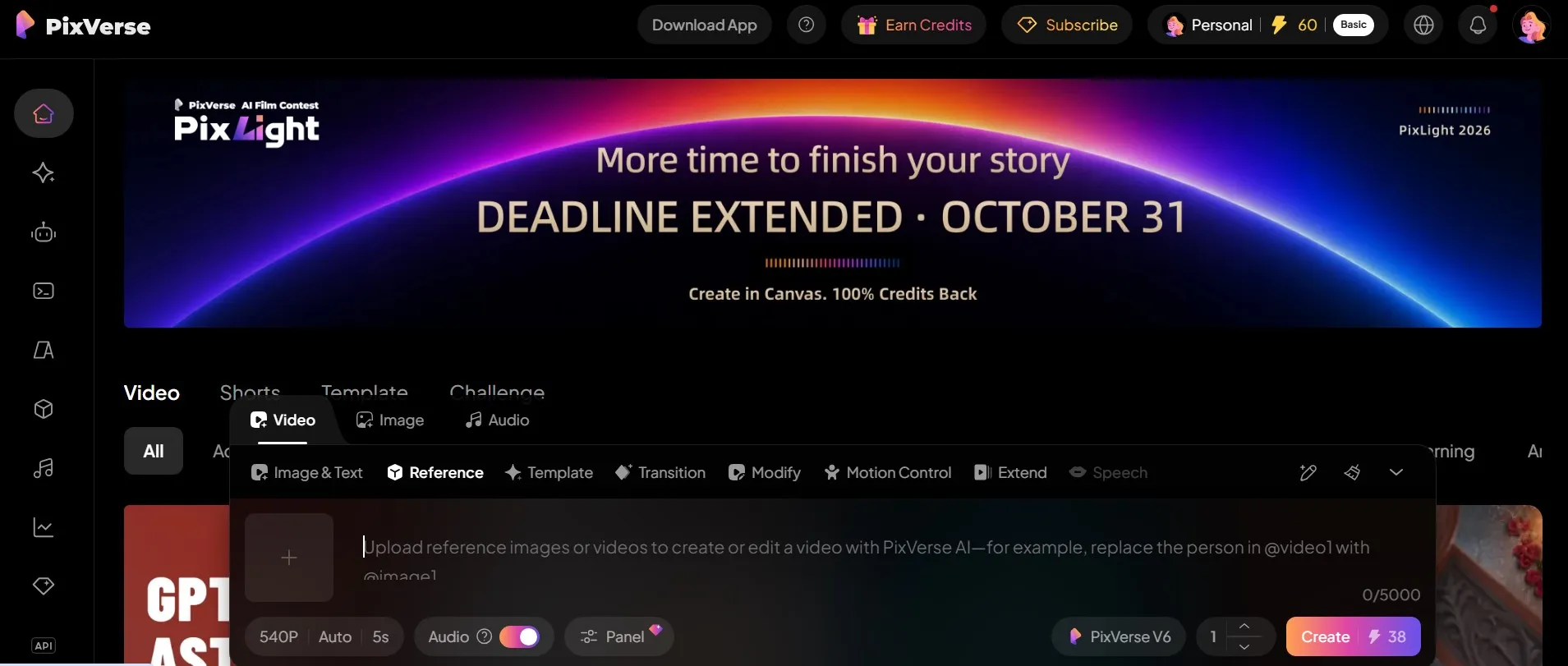
PixVerse suits people who want to make something every day. Its free plan renews credits daily, but exports are watermarked and capped at low resolution. Reports differ on the exact amount, from 30 daily credits to 60.
The Standard plan costs $10 a month and removes the watermark. The newer V6 model generates clips from 1 to 15 seconds. That is plenty for Reels, TikTok and Shorts.
Dreamina and CapCut: Generation Inside an Editor
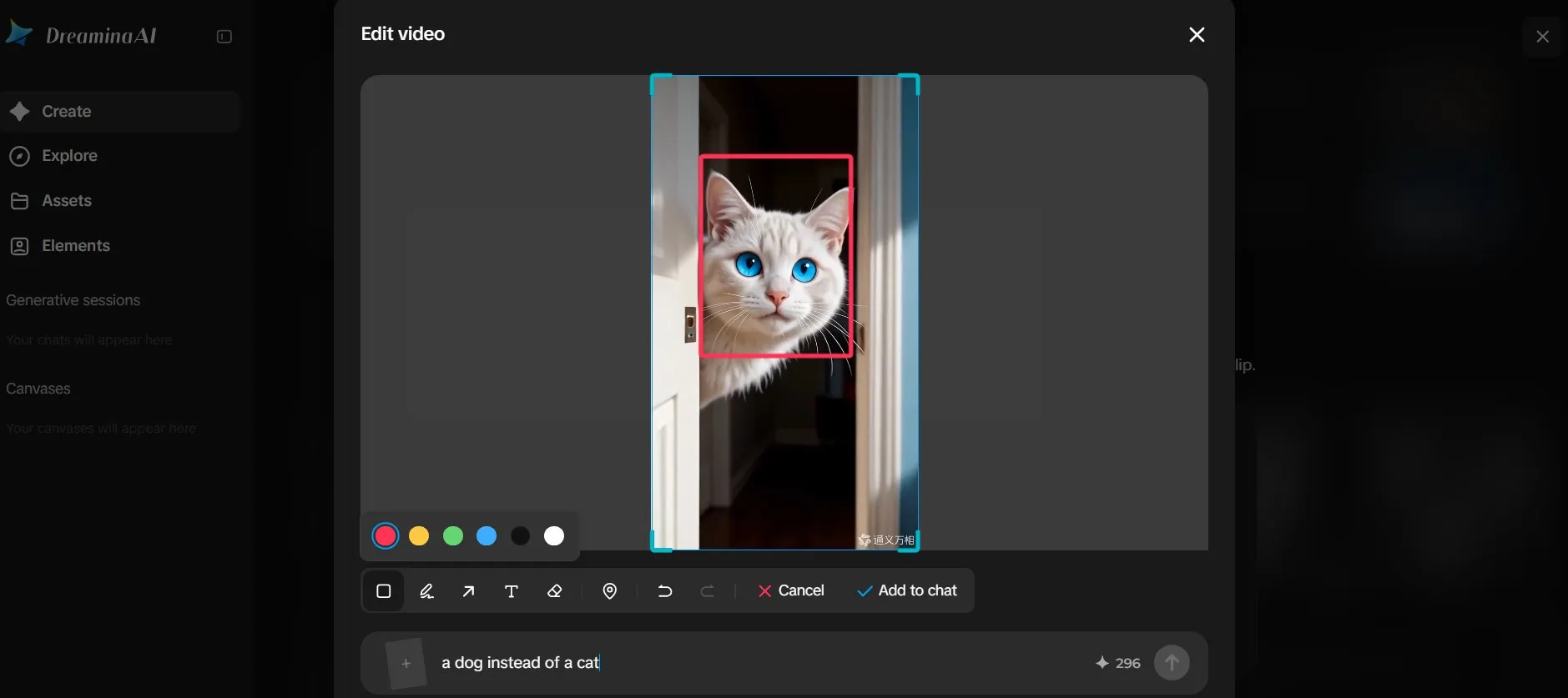
Dreamina is ByteDance’s creative platform, and CapCut is its editing app. Dreamina’s own guide says its free baseline was 120 daily credits as of August 2026. That is a vendor claim, so confirm it in the app.
Dreamina’s Seedance models handle video, while Seedream handles images. Free daily credits do not mean unlimited videos, watermark-free exports or guaranteed commercial rights.
CapCut also brought Seedance 2.0 into its popular editor. Generate a clip, trim it, add captions and post, all in one place. That workflow is hard to beat for solo creators.
Product Video and Ads: Create AI Marketing Videos That Convert
A product video has a different job from a cinematic clip. The product must look right, every time. Colors, shape and logo cannot drift.
That is why marketers use specialist tools. They start from your product, not from a blank prompt. Big brands are testing the same idea, as Coca-Cola’s AI marketing strategy shows.
Creatify turns a product URL into ad drafts with AI avatars, scripts, voiceovers and templates. It is built for ecommerce and paid social. It produces drafts, not finished ads.
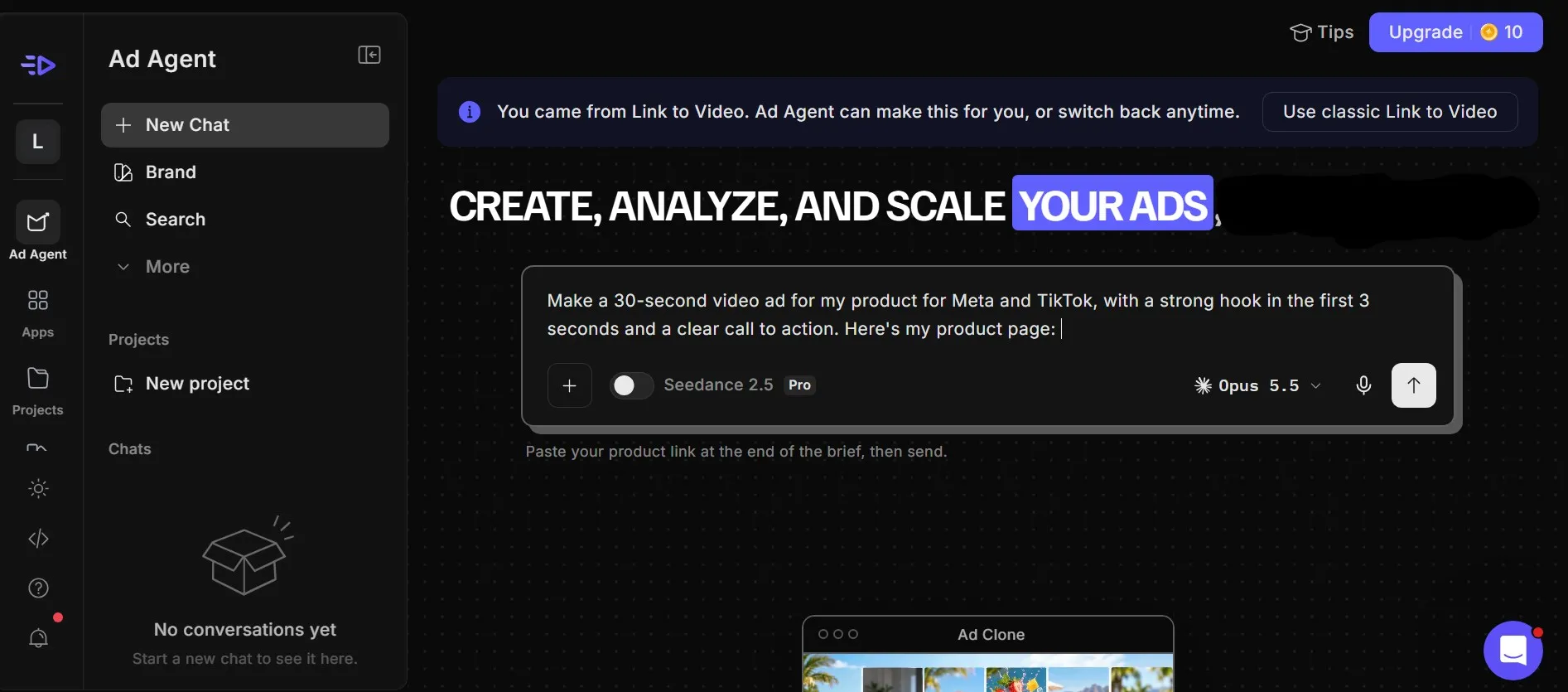
Check the output carefully. The scraper occasionally pulls incorrect pricing or the wrong hero image. Video ads cost 5 credits per 15 seconds, and pricing changed in 2026, so test with one real product first.
Adobe Firefly Video is pitched as the commercially safe, IP-clean option, starting around $9.99 a month. That matters if your legal team asks where the training data came from.
For hero shots, a generative model can do the heavy lifting. One roundup names Runway the best pick for marketers and ads. Pair a Runway or Kling shot with an avatar or stock-based tool for the rest.
How to Get a Marketing Video in Minutes
Speed comes from a repeatable workflow. Here is a simple one:
- Write a three-line brief: product, audience and one clear message.
- Feed the tool real assets: a product URL, photos or a logo.
- Generate three variations: different hooks, not different products.
- Pick one and polish it: fix the voice, captions and brand colors.
- Export per platform: vertical for Shorts and Reels, wide for YouTube.
Keep a human in the loop at step 4. AI gets you to a strong draft fast. Your eye gets it to something you would actually publish.
AI Avatar Video: Best Tools for Training Video and Presenters
Some videos do not need a cinematic dragon. They need a calm person explaining your onboarding process. That is where an AI avatar earns its keep.
Avatar video tools skip the camera entirely. A digital presenter reads your script, in your language, on demand. Two names dominate: HeyGen and Synthesia, though video models now offer avatars too, as Kling AI Avatar 2.0 shows.
HeyGen: Realistic Presenters and Translation
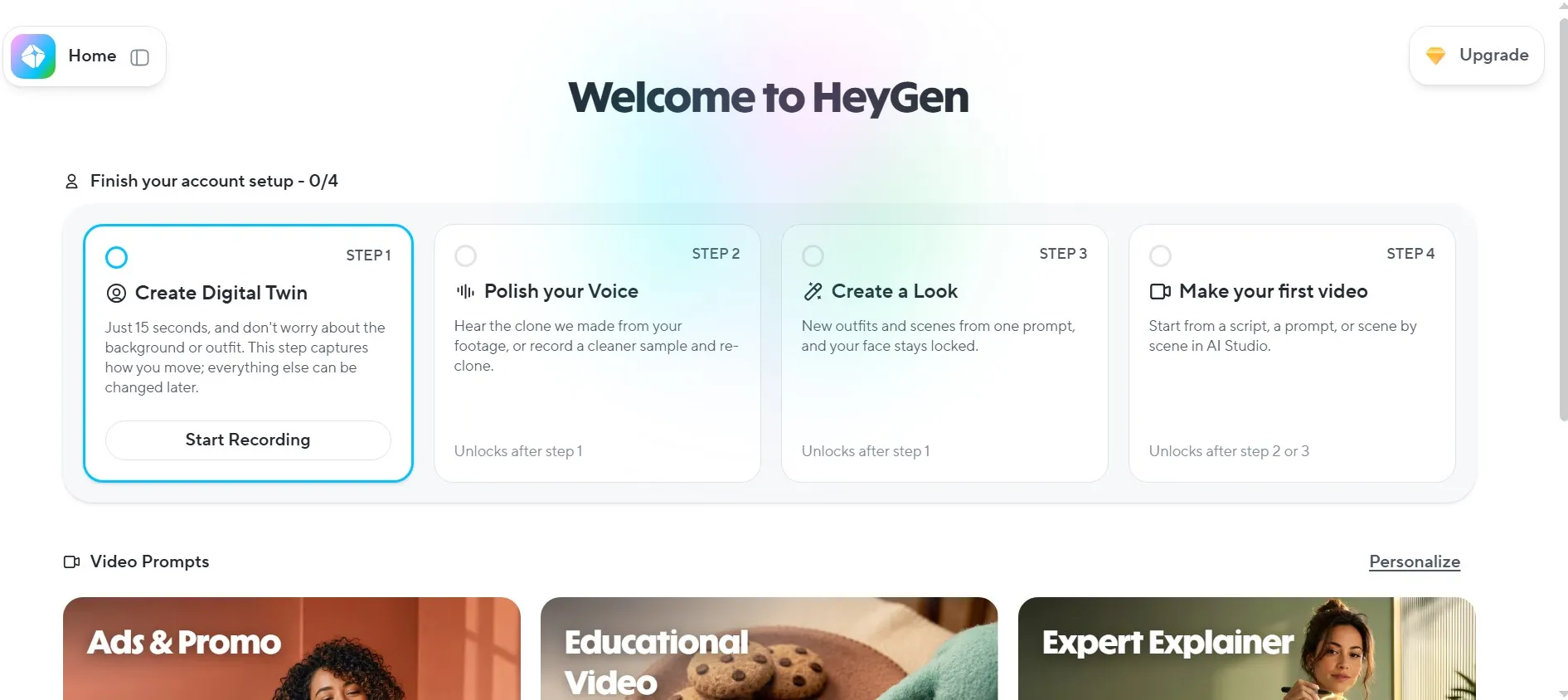
HeyGen turns a photo, a script or an existing video into an avatar-led video. It can then localize the result into 175+ languages with lip-synced dubbing. That makes it a favorite for social creators, virtual influencer builders and global marketing teams.
Realism is the selling point. A July 2026 same-script comparison gave HeyGen the win on lip sync and mouth tracking. The AI voice side is strong too, because paid plans include voice cloning.
The free plan gives you three watermarked videos a month, each one minute long. Creator costs $29 a month, or $24 billed annually, with videos up to 30 minutes and no watermark.
Here is the catch. Newer Avatar IV and V videos use about 20 credits per minute, so 600 monthly credits cover only about 30 minutes of premium avatar video. Reviews disagree on the exact credit pool, so check HeyGen’s plan card before you commit.
Synthesia: Enterprise-Ready Training Video
Synthesia is the corporate favorite for AI-powered video at scale. It is best for training, onboarding, HR and product explainer videos produced at scale. It offers 160+ languages and 1,000+ AI voices.
Enterprise plans add SCORM export and unlimited standard minutes. That matters for learning teams who upload a training video straight into an LMS.
The same comparison summed up the difference neatly. Synthesia is the steadier presenter, and HeyGen is the more expressive performer. Synthesia also bills flat video minutes, while HeyGen meters premium credits.
The free Basic plan offers nine stock avatars and 160+ languages, but exports are watermarked and cannot be downloaded as MP4. Starter costs about $18 a month billed annually, and Creator about $64. Monthly prices differ by source, so confirm them on Synthesia’s pricing page.
The minute cap is the real limit: 10 minutes on Starter, 30 on Creator, unlimited on Enterprise. Estimate your monthly training minutes before choosing a plan.
Avatar Video vs. Generative Video
Avatar tools and generative models solve different problems. An avatar tool is predictable. The same presenter says the same script in ten languages.
A generative AI model invents scenes, but it cannot promise the same face in every shot. Use avatars for the talking parts and models like Veo or Kling for cinematic cutaways. Mixing the two gives you polish without a film crew.
Best Free AI Video Generator Options: Free AI Video Without Paying
Free AI video exists. Unlimited free AI video does not. Every free plan trades something away: credits, resolution, watermarks or rights.
Here is a funny pattern. Almost every best free list is written by a vendor. Dreamina’s list ranks Dreamina first, HeyGen’s list ranks HeyGen first, and Arcade’s list ranks Arcade first.
So read the fine print. Below, we focus on what each free plan actually gives you.
Best Free AI Video Generator for Most People
For most people, the best free AI video generator is the one that renews. A one-time free trial burns out in a single session. A daily or monthly refresh lets you keep learning.
Dreamina is the strongest candidate on that test. Its own guide says the free baseline was 120 daily credits as of August 2026. That is a vendor claim, so confirm it in the app.
Kling is the other one to try. Kling has a free plan, but its output is not cleared for commercial use. One review reports 66 free daily credits, though other sources disagree.
What about Veo 3.1? Reports conflict. One roundup says Veo is available free through Google AI Studio with rate limits.
Another source says Google’s API pricing page lists no free tier for Veo 3.1. Check AI Studio yourself before you count on it.
Best Free AI Video for Social Clips
For Shorts, Reels and TikTok, you want volume. These free tiers fit that job, each with a catch:
- PixVerse: daily renewing credits, but free exports are watermarked and capped at 540p.
- Pika: 80 monthly credits at 480p, with a watermark and no commercial use.
- InVideo AI: 10 minutes of AI generation per week, with watermarked exports.
- HeyGen: three watermarked videos a month, best if you need an avatar.
Pick one, then run the five-prompt test from earlier. It takes ten minutes and saves you a subscription you did not need.
What Free Really Means
Before you fall in love with a free plan, check these five things:
- How credits refresh. Runway’s free credits are a one-time allotment that never renews, while Dreamina and PixVerse refresh daily.
- Resolution. Free clips are often 480p or 540p. That is fine for tests and rough for publishing, because video quality drops fast.
- Watermarks. Most free plans stamp your video. We cover this next.
- Commercial rights. Free output from Kling and Pika is not cleared for commercial use, per the sources above.
- Failed generations. Failed generations can still use credits, so iterate with short clips.
Some tools skip the free tier entirely. One source says Luma’s pricing page lists no free plan. Free plans change often, so treat every number here as a snapshot.
Watermark: Which Free AI Video Generators Export Without One?
Short answer: very few. A free plan usually stamps your clip, and that stamp is part of the deal.
Every AI tool treats it differently. Here is how the main tools handle it:
- Runway: the free plan is watermarked.
- InVideo AI: free exports carry a watermark.
- Synthesia: free videos are watermarked and cannot be downloaded as MP4.
- PixVerse: the $10 Standard plan removes it.
- HeyGen: Creator is the first plan without a watermark.

Pika and Dreamina are murkier. Sources disagree on Pika, and Dreamina warns that free daily credits do not guarantee watermark-free exports. Always test one export before you plan a campaign.
Veo is a special case. A visible Veo badge appears on free and mid-tier outputs, while the top Ultra tier drops it. Google has since added a Visible watermarking toggle in Flow, so check your settings first.
One mark never goes away. Every Flow video also carries an invisible SynthID watermark on every tier. Plan on the fact that AI provenance signals stay attached.
The clean route is the honest one. Pay for the plan that removes the watermark, or use a setting the tool provides. Cropping or erasing marks can break a tool’s terms of use.
AI Video Editor and Video Editing Software With Built-In AI
The phrase AI video editor now means two things. Some tools generate new footage, while others use AI to edit footage you already shot. Mixing them up wastes money.
If you already have footage, you want a video editor with AI built in. These are the names that come up most.
- Descript: the best all-rounder for editing real footage, because you edit video by editing a transcript. There is a free tier, with paid plans from about $16 a month on annual billing.
- CapCut: auto captions, text-to-speech, background removal, script-to-video and 1080p export on the free tier. CapCut Pro costs $19.99 a month with 1,200 monthly AI credits.
- Adobe Premiere Pro: the industry-standard timeline with Firefly-powered AI, from about $22.99 a month.
- VEED: browser-based team editing with a free tier and paid plans from $12 a month.
Runway also belongs here. Its editing tools sit next to its generator, which we covered above.
AI Video Editing vs. Traditional Video Editing Tool
AI video editing handles the boring parts: captions, silence removal and reframing. A traditional video editing tool still wins on precision.
Keep the limits in mind. Text-based editing works best for talking-head and dialogue-heavy content. For cinematic work, you will still want a real timeline.
Multiple AI Video Models in One Place: All-in-One AI Generator Platforms
Models change every few weeks, and every leading AI video platform ships updates constantly. Paying for five subscriptions gets old fast. A single video generation tool with multiple AI video models under one login fixes that.
Higgsfield: Many Models, One Subscription
Higgsfield bundles 15+ video models, including Veo 3.1, Kling 3.0 and Seedance 2.0, under one subscription. Its Soul ID system keeps a character’s face consistent across clips.
Pricing was restructured in 2026 into Starter at $15, Plus at $34 and Ultra at $84. Watch the credit math. Premium models like Veo 3.1 use 40 to 70 credits per video, while Kling 3.0 uses about 6.
One reviewer adds a fair warning. Higgsfield is mostly an aggregator, so some tools give you the same models with clearer pricing.
OpenArt, Krea and Fal.ai: Alternatives Worth Knowing
OpenArt is known for character consistency, custom model training and a deep library of community styles. Krea bundles more than 64 image and video models in one interface.
Developers have another option. Fal.ai offers 600+ models behind one API key with pay-per-use pricing. AI video API pricing runs from about $0.03 to $0.75 per second of finished video.
Comparison Table: AI Video Generator Tools Side by Side
Here is the whole field at a glance. Prices are snapshots from our research, so confirm them before you buy. Sources for every figure appear in the sections above.
| Tool | Best for | Clip length | Free option | Starting price |
|---|---|---|---|---|
| Veo 3.1 | Cinematic clips with sound | 8 seconds | Unclear, check AI Studio | $19.99/mo (Google AI Pro) |
| Kling 4.0 (3.0 also available) | Value, realistic motion and long takes | Up to 30 seconds (15 on 3.0) | Yes, non-commercial | $6.99 first month, then $8.80/mo |
| Seedance 2.x | Multi-shot scenes with references | 15 seconds, 30 in 2.5 | Via Dreamina credits | From $18/mo (Dreamina) |
| Wan 3.0 | Long single clips | Up to 30 seconds | No | Varies by provider |
| Runway Gen-4.5 | Creative control and editing | 2 to 10 seconds | 125 one-time credits | $12/mo billed annually |
| Luma Ray3.2 | HDR and keyframes | Short clips | Reports differ | $30/mo ($25 yearly) |
| Hailuo 3.0 (MiniMax H3) | Native 2K image-to-video | 4 to 15 seconds | Reports differ | API from $0.08/sec |
| Pika | Social effects | Short clips | Yes, watermarked | Varies by source |
| PixVerse | Social clips | 1 to 15 seconds | Daily credits, watermarked | $10/mo |
| InVideo AI | Explainers and marketing | Full videos | 10 min/week, watermarked | $25/mo |
| HeyGen | Avatars and translation | Up to 30 minutes | 3 videos/month | $29/mo |
| Synthesia | Training video | By plan minute cap | Yes, no MP4 download | About $18/mo billed annually |
| Adobe Firefly Video | Commercially safe clips | Short clips | Check Adobe | From about $9.99/mo |
| Dreamina / CapCut | Free social video | Short clips | Daily credits | Dreamina from $18/mo |
How to Use AI for Video Creation: From Prompt to Professional Video
Owning a great tool is not the same as making a great video. The workflow matters more than the model. Here is a video creation process that works across almost every tool in this guide.
AI Video Creation in 6 Steps
- Pick the job first. Cinematic shot, avatar presenter or marketing video? The job decides the tool.
- Write a structured prompt. Include the subject, the action, the camera move, the lighting and the sound. One clear scene beats a crowded paragraph.
- Draft cheap, finish premium. Google lists Veo 3.1 in Standard, Fast and Lite versions. Find the shot on the cheaper one, then re-run the winner.
- Generate three variations. AI video rarely nails it on the first try. Pick the best, not the first.
- Edit like a human. Trim, add captions and fix the voice. Tools like Runway’s Aleph can edit inside a finished clip with text prompts, which saves a full re-roll.
- Label and export. Add a disclosure where required, then export for each platform.

AI Video Production Workflow for Teams
Teams need more structure than solo creators, especially on a client video project. The video production process stays the same, but the roles split.
One person owns the brief and the brand rules. One generates and selects clips. One edits, and one checks rights and disclosure before anything goes live.
Keep a shared prompt library. Winning prompts are assets, and they save hours next month. Platforms with a single credit pool also help teams compare models without juggling subscriptions.
AI Voice, Lip Sync and Native Audio: The AI Feature That Changes Everything
Silent AI video is a thing of the past. Sound is now the feature that separates tools. It also removes a whole editing step.
Veo 3.1 generates sound together with the picture. Seedance 2.0 produces dialogue, sound effects and background audio in the same pass. Kling can create lip-synced, language-specific audio from a text prompt.
MiniMax’s H3 outputs native stereo audio. In contrast, reviews of Luma’s Ray3 family say it does not generate native audio. Plan extra time if you pick a silent model.
Avatar tools lead on AI voice. HeyGen includes voice cloning on paid plans and translates videos into 175+ languages with lip-synced dubbing. Synthesia offers 1,000+ AI voices.
One rule for voice cloning. Only clone a voice you own or have written permission to use. It protects you, and it keeps your channel safe.
AI-Generated Video: Commercial Rights, Disclosure and Safety
This is the boring section that can save you real trouble. Read it before you publish a client video. We are not lawyers, and rules differ by country.
Commercial Rights
Commercial rights depend on your plan. Kling’s free output is not cleared for commercial use, and neither is Pika’s free output. Runway’s paid plans include commercial usage rights, and so do InVideo AI’s paid plans.
For brand work, Adobe Firefly Video is pitched as the commercially safe, IP-clean option. Save screenshots of the terms you accepted on the day you subscribed.
Disclosure and Labeling
Labeling rules for AI video content are tightening. The EU AI Act’s Article 50 transparency duties apply from August 2, 2026. Deployers who publish deepfakes must clearly disclose that the content is AI-generated.
A deepfake means AI content that resembles real people, places or events and could look authentic. A dragon or a talking animal does not count. The disclosure must be visible or audible at the start, not buried in a footnote.
Platforms have their own rules. Follow YouTube’s 2026 disclosure policies for AI-generated material if you publish there.
Safety and Provenance
Every Flow video carries an invisible SynthID watermark on every tier. Expect more of these hidden marks across tools, and more consent-based models such as face licensing for Chinese actors. Never use AI video to imitate a real person without consent.
Which AI Video Tool Is Right for You? Decision Guide
Still undecided? Match your job to a tool:
- Cinematic shots with sound: Veo 3.1
- Best value and realistic motion: Kling
- Multi-shot scenes with many references: Seedance
- Frame-level control and editing: Runway Gen-4.5
- HDR and keyframes: Luma Ray3.2
- Cheap 2K image-to-video: Hailuo 3.0 (MiniMax H3)
- Explainers and marketing videos: InVideo AI
- Talking presenters and translation: HeyGen
- Corporate training video: Synthesia
- Free daily practice: Dreamina or PixVerse
- Many models, one login: Higgsfield

Start with one AI tool for your main job and one backup. Run the five-prompt test from earlier on both. After a week, you will know which one deserves your money.
AI Videos and AI Video Generators: FAQ
What is the best AI video generator in 2027?
For most people, Veo 3.1 is the safest pick. Kling wins on value, and Runway wins on control. Kling 4.0 is now out, so test it against Veo 3.1 before you decide.
What is the best free AI video generator?
Choose the one that refreshes your credits, such as Dreamina or PixVerse. Free output is usually watermarked and often not cleared for commercial use. Test the free plan of any AI tool before you build a plan around it.
Is Sora still available?
No. OpenAI announced in March 2026 that it was shutting down the Sora app and API.
Can AI video generators make videos with sound?
Yes. Veo 3.1, Seedance, Kling and MiniMax H3 can generate audio with the video. Some models, like Luma’s Ray3, still need sound added separately.
How long can an AI-generated video be?
It depends on the model. Veo 3.1 makes 8-second clips, Kling 4.0 reaches 30 seconds and Wan 3.0 offers 30-second generation. For longer videos, stitch clips together.
Can I use AI-generated videos commercially?
Often yes on paid plans, rarely on free ones. Read each tool’s terms and keep a copy. Brand-sensitive work may need a tool like Adobe Firefly.
Do I need to label AI videos?
Sometimes. EU rules require clear disclosure for deepfakes, and YouTube has its own disclosure policy. When in doubt, add a short label at the start.
How much do AI video generators cost?
Entry plans run from about $7 to $30 a month. API pricing runs from about $0.03 to $0.75 per second of finished video. Premium models cost more per clip, so draft on cheaper tiers.
Final Verdict: Best AI Video Generators in 2027
There is no single winner, and anyone who says otherwise is selling something. The best AI video generator is the one that fits your job and your budget.
For cinematic AI videos with sound, start with Veo 3.1. For value and realistic motion, pick Kling. For avatars, training and marketing, HeyGen, Synthesia and InVideo AI do the heavy lifting.
Use the free tiers to test, then pay for one tool at a time. The market moves fast, so we update this guide as models, prices and rules change. Bookmark it, and check the date at the top before you buy.
Last Updated on October 24, 2026 7:00 pm by Laszlo Szabo / NowadAIs | Published on October 24, 2026 by Laszlo Szabo / NowadAIs